Style every aspect of your assistant to match your brand identity with curated themes, web fonts, and custom color overrides.
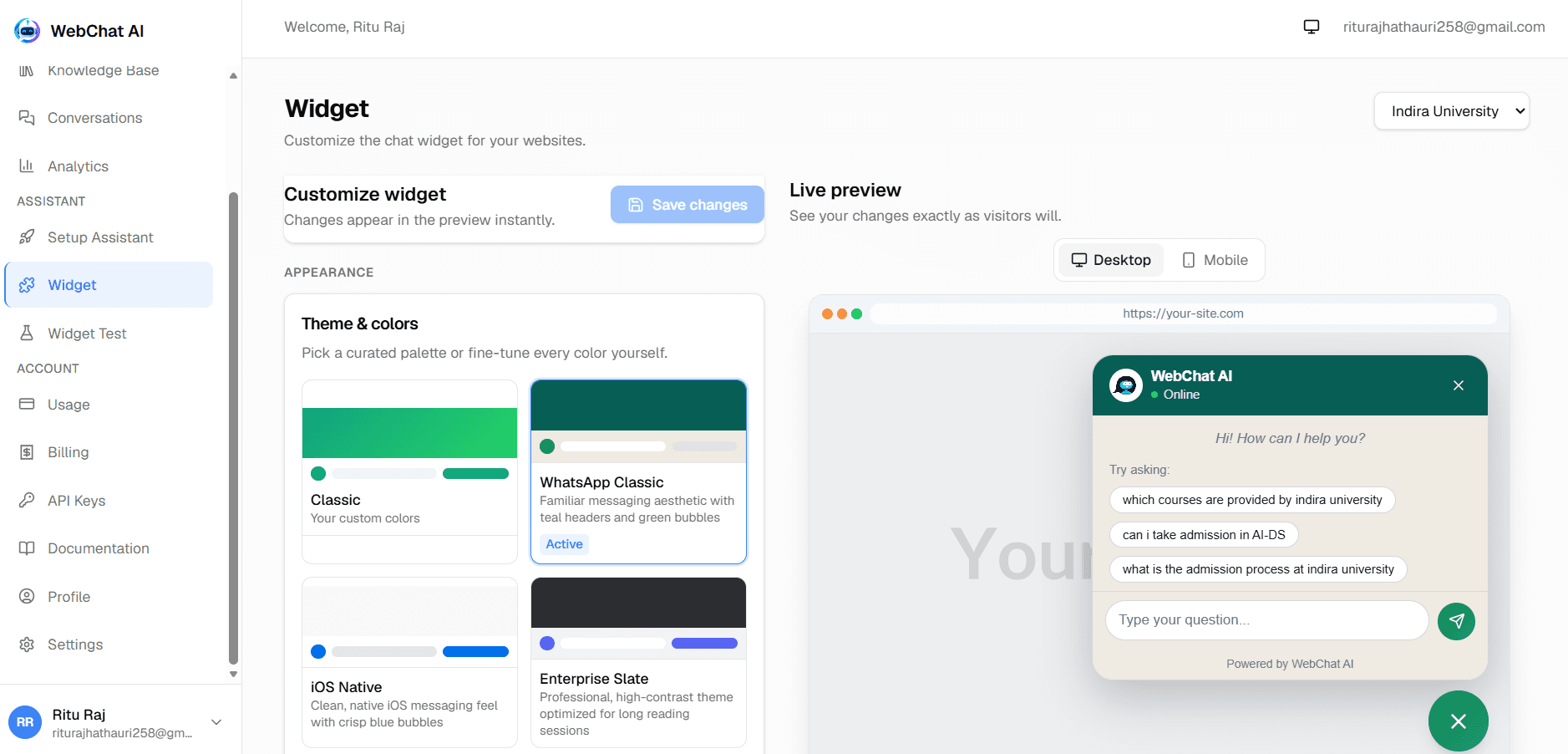
One-click themes that instantly balance header gradients, bubble colors, surface tints, and text contrast.
In the dashboard theme selector, the initial view displays 6 curated cards. Clicking "Show more (5 more)" expands all 11 themes, and "Show less" collapses back to 6.
Classic
Default emerald and teal palette with clean white surfaces.
preset: "classic"WhatsApp Classic
Familiar messaging aesthetic with teal headers and green bubbles.
preset: "whatsapp-classic"iOS Native
Clean, native iOS messaging feel with crisp blue bubbles.
preset: "ios-native"Enterprise Slate
Professional, high-contrast theme optimized for long reading sessions.
preset: "enterprise-slate"Ocean Blue
Trusted SaaS blue with crisp white surfaces.
preset: "ocean-blue"Midnight Dark
Bold dark-first theme for a modern product vibe.
preset: "midnight-dark"Emerald Support
Friendly green for support and success teams.
preset: "emerald-support"Purple AI
Violet accents for AI assistants and innovation.
preset: "purple-ai"Minimal White
Clean monochrome that fits any brand.
preset: "minimal-white"Sunset
Warm orange and red for friendly, approachable brands.
preset: "sunset"Modern Gradient
Vivid primary-to-accent gradient header.
preset: "modern-gradient"Visually distinctive typography loaded on-demand via Google Fonts.
To prevent heavy font binary files from bloating the widget bundle (keeping it strictly under 50 kB gzip), WebChat AI loads web font stylesheets dynamically when configured:
System Default
San Francisco, Segoe UI, Roboto, sans-serif
Inter
Clean, neutral geometric sans-serif
Poppins
Friendly, modern rounded geometric sans-serif
Nunito
Soft, rounded sans-serif with excellent legibility
Roboto
Neo-grotesque sans-serif with natural reading rhythm
Open Sans
Humanist sans-serif with open letterforms
Montserrat
Distinct urban architectural sans-serif
Lato
Warm, corporate sans-serif with sleek curves
Playfair Display
Sophisticated modern serif for premium editorial feel
Space Grotesk
Tech-focused monospace-inspired proportional sans-serif
Zero Bundled Binaries
Override preset defaults with exact brand assets.
You can override individual styling elements without altering the rest of your chosen preset:
Related documentation
Ready to build?
Register a website and get a live assistant in minutes.
 WebChat AI