WebChat AI allows you to train assistants from live websites, uploaded documents, or a combination of both.
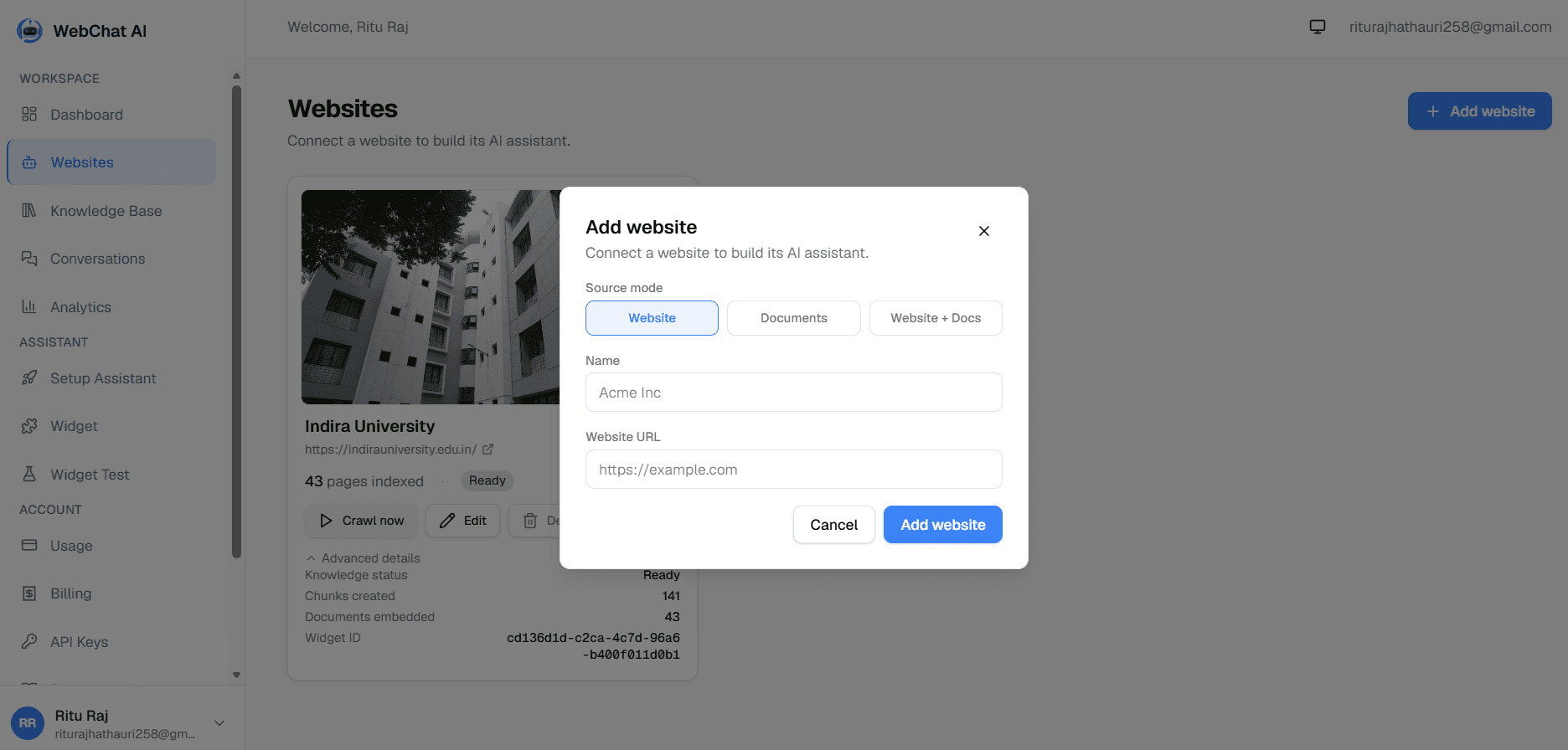
Detailed feature breakdown across the three ingestion modes.
| Source Mode | Website URL | File Uploads | Best For |
|---|---|---|---|
Website | Required | Optional (via mixed conversion) | Public documentation portals, company marketing sites, e-commerce stores, and blogs. |
Documents | Not required | Primary source (up to 5 files / 10 MB per batch) | Internal knowledge bases, customer support runbooks, policy manuals, and technical specifications. |
Mixed | Required | Supported alongside website crawls | Companies whose public website has base knowledge, but who need to supplement it with offline PDFs or guides. |
WebChat AI crawls a public domain or subdomain, following links and indexing pages automatically.
How it works
The crawler discovers pages, strips navigation and boilerplate, and chunks text into 500–800 token passages.
Create an AI assistant powered strictly by uploaded proprietary files (.pdf, .docx, .md, .txt) without needing a website URL.
How it works
Files are uploaded via multipart form, text is extracted, and passages are vectorized directly into tenant storage.
Combines content crawled from a public website with additional manual document uploads in a single unified knowledge base.
How it works
Citations link to public URLs for crawled pages and show file download badges for uploaded documents.
How WebChat AI ensures secure website ingestion.
When crawling websites, WebChat AI enforces strict network-level security protections:
Related documentation
File Upload Formats & Limits
Learn supported file types, character bounds, and processing statuses.
Read guide
RAG & Retrieval Pipeline
Understand how chunks are embedded, searched, and cited in chat responses.
Read guide
Quickstart Guide
Follow the 7-step guide to connect content and launch the assistant.
Read guide
Ready to build?
Register a website and get a live assistant in minutes.
 WebChat AI